2-Minute Setup for Introduction to Statistical Learning With Python
If you are like me, you probably waste too much time setting up a “perfect” environment before actually learning. Developers call this “yak-shaving” which means solving trivial problems before getting to the primary objective. This blog is to save you from trap of yak-shaving if you are starting your machine learning journey with ISLP with Python book.

To get started you only need two things on your system:
- Docker Desktop
- Git
If you don’t have then already on your system then follow these guides on how to install Docker and Git.
One Command Launch
Open your terminal and follow these steps
- Clone the Repo:
git clone https://github.com/prasenjeet-rathore/ISLP_Python.git- Navigate to the Folder
cd ISLP_Python- Launch
docker-compose upNote: First time you launch this it will take a minute to install everything. I made it as fast as possible but will still take a minute or two.
Once the terminal stops scrolling, head to your browser and type: 👉 localhost:8888
You should see something like this as shown in image below
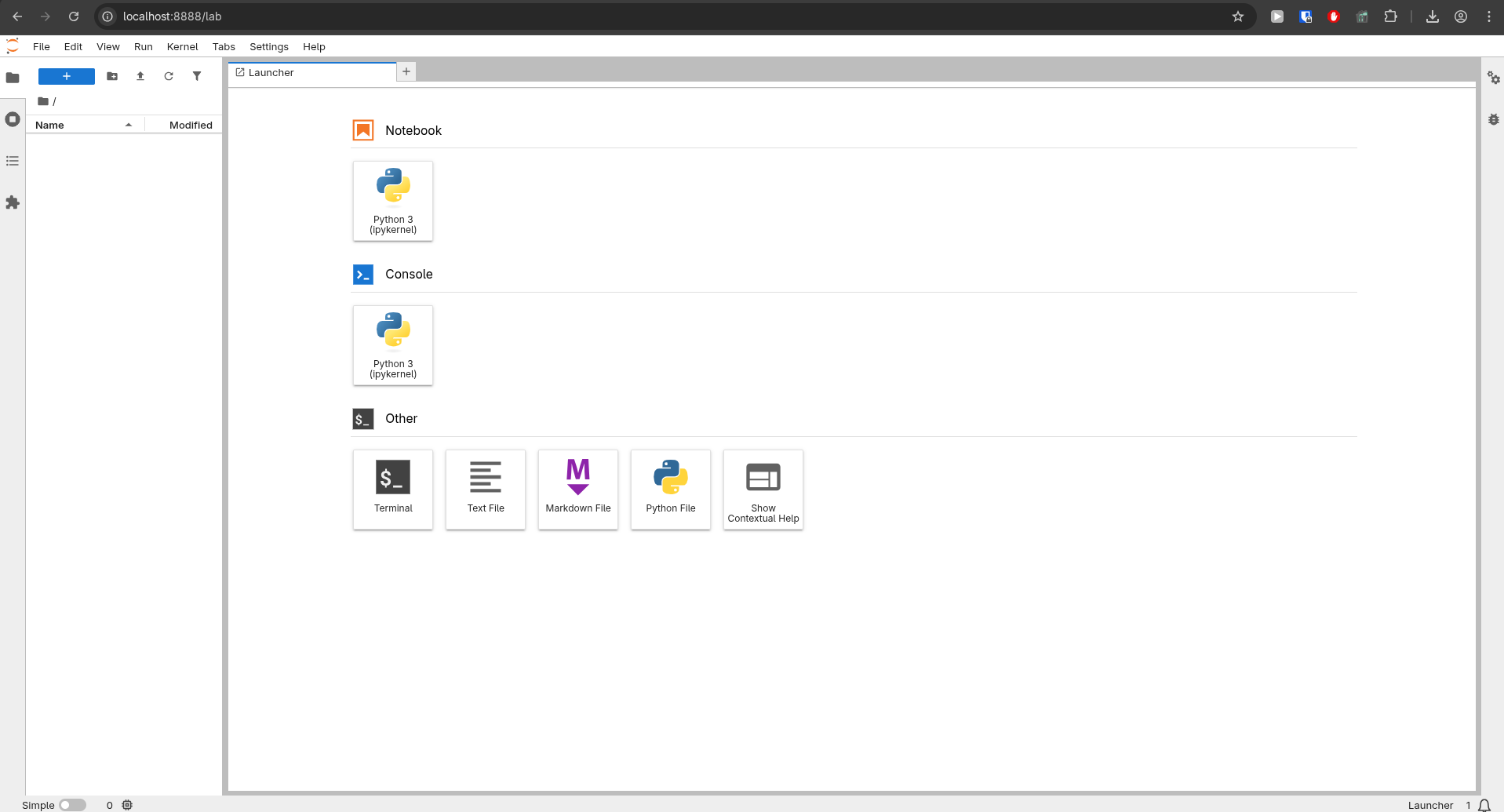
When you create a new python notebook in the above screen you’ll see a folder called workspace is created on your computer. Always save your notebooks here! This folder is ‘mapped’ to your actual computer, so even if you delete the Docker container, your hard work stays safe on your hard drive."
Quick Test : To see if everything is working
Launch a python notebook and run this
import ISLP
print(f"ISLP version: {ISLP.__version__}") # Should show 0.3.19
Congratulations 🎉🎉🎉 You just bypassed hours of configuration.
Shutting down the environment
To stop the environment and free up your computer’s resources, just go back to your terminal and press Ctrl + C. If you want to completely shut things down and clean up the background processes, run:
docker-compose downWhenever you want to restart the lab just go to the folder ISLP_Python in your terminal and run. This time it will start the lab within seconds.
docker-compose upI hope this saved your time.